 AI for Architecture
Demo 01 Premium
London Layer Atlas
Explore a London site through five exploded axonometric layers. Adjust colours, spacing and viewing angles, and export an editable SVG.
Build it yourself in ChatGPT or Claude
Build prompt Members only
Ready-made skills built with ChatGPT and Claude: interactive exploded maps, a walkable interior from a floor plan, and animated architecture diagrams. The live demos are free; build prompts and skill downloads are for members. Architecture Diagram Animation with Claude.
Exploded map diagrams of real sites, vibe coded in ChatGPT or Claude. Open a demo and use it right here: rotate it, recolour the layers and export the SVG.
Explore a London site through five exploded axonometric layers. Adjust colours, spacing and viewing angles, and export an editable SVG.
Build it yourself in ChatGPT or Claude
Take apart a 1 km circle of Westminster as five stacked map plates. Toggle and recolour layers, change elevation and rotation, and export an editable SVG.
Build it yourself in ChatGPT or Claude
A floor plan turned into a walkable 3D home, built entirely in code with Blender and three.js by Claude. Open it and walk around right here.
Walk through a farmhouse built to scale from a 2D floor plan, with baked daylight. Drag to look, tap the floor to walk, jump between rooms or play the guided tour.
Build it yourself in Claude
Only Claude needed: no Blender or rendering software to install. Claude builds the model, bakes the light and writes the page in code.
No Blender, no rendering software and no other AI tools to install. Claude does everything in code, in its own workspace. 1. INSTALL THE SKILL - Download floorplan-walkthrough.zip below. Keep it zipped: it holds the folder floorplan-walkthrough/ with SKILL.md inside. - In Claude, go to Customize > Skills. - Click +, then Create skill, then Upload a skill, and choose the ZIP. - Check that floorplan-walkthrough appears in your skills list and is switched on. (Menu names can change between app versions. Anthropic's guide: https://support.claude.com/en/articles/12512180) 2. START A WALKTHROUGH Open a new chat, attach your floor plan (PNG, JPG or PDF) and write: "Use the floorplan-walkthrough skill to turn this plan into a walkable 3D tour." Then add as much of this as you have. Anything you leave out, Claude assumes and lists at the end for you to check. - One real dimension: "Bedroom 3 is 12 ft wide" - Ceiling heights: "2.74 m throughout, great room vaulted to 4.5 m" - North and location: "North is up, Surrey UK" - Rooms to build: "Entry, kitchen, dining, living room, terrace" - Finishes and style: "Oak floor, warm white walls, sage kitchen" - What you want back: "Walkable page and a video" Reference photos, sections and elevations help if you have them. Or paste the build prompt below and fill in the brackets. 3. WHAT HAPPENS NEXT - Trace check: Claude traces the walls and shows the trace over your plan. Confirm it looks right. - Questions: at most a few, such as page, video or both, and anything the plan leaves unclear (a room with no way in). - Build: Claude models the rooms, furniture and garden, chooses a sun position and bakes the lighting. This is the slow part. - Delivery: a link to the walkable page, the MP4 if you asked for one, and a list of assumptions. Allow a couple of hours of working time. You can leave the chat and come back. 4. WHAT TO EXPECT - Clean, well-lit architectural visualisation with baked sunlight, not a photograph. - Furniture, plants and trees are simple shapes built in code. - Only the rooms you ask for are built; the rest sit behind closed doors. - Without dimensions, sizes are approximate. - Results vary from run to run because Claude writes the code fresh each time. 5. GETTING A BETTER RESULT - Give a real dimension and real ceiling heights. - Send reference photos of the finishes you want. - Start with two to four main rooms, then ask for more. - After delivery, ask for specific changes: "lower the sun", "darker floor", "swap the sofa to face the window", "bake the light for longer".
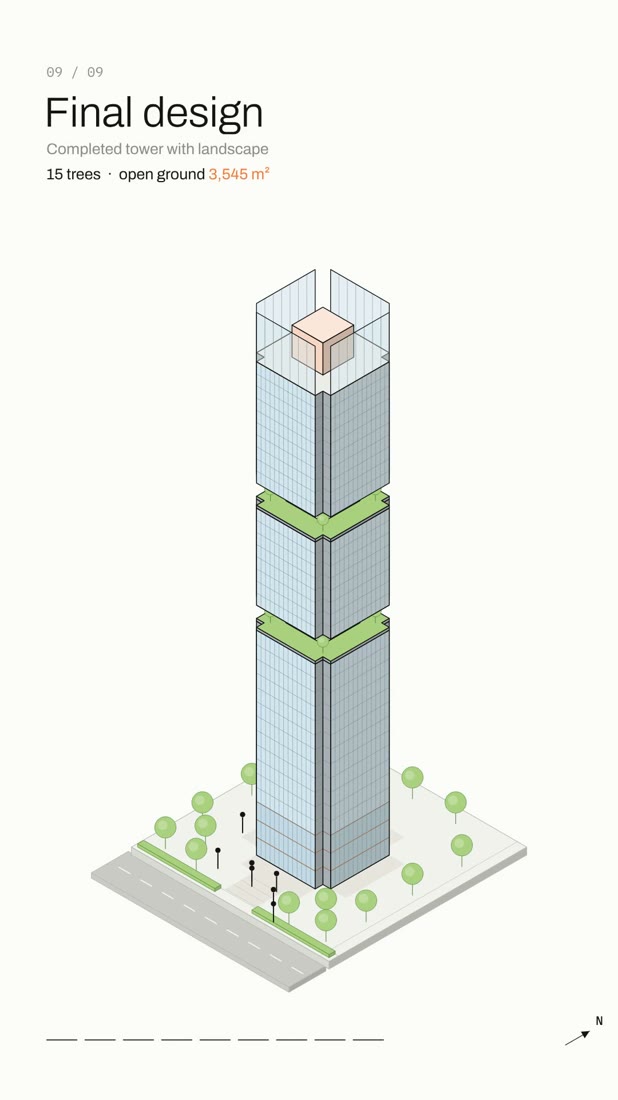 Animation
No MCP or plugin needed: this is a Claude skill, a folder of instructions and example code Claude reads when it makes the animation. 1. Download arch-diagram-animation.zip below. 2. Add it to Claude: • Claude app or claude.ai: Settings → Capabilities → Skills → Upload skill (code execution must be on). • Claude Code: unzip it into ~/.claude/skills/ 3. Start a new chat, upload your step-by-step diagram (like example 06) and paste the prompt below.
Use the arch-diagram-animation skill to turn this 9-step mass evolution diagram into an animated architecture concept diagram. Keep the same steps, captions and program colours: site, base mass, vertical extrusion, mass articulation, void carving, top composition, program organization, facade & material, final design. Build one isometric model that changes step by step, calculate the real areas and heights shown on screen, and export a vertical 1080×1920 MP4 with sound, about 30 seconds.
Claude also makes an interactive web page with play, scrub and a sound toggle. The MP4 export uses Node, Playwright and ffmpeg; in Claude Code, install them on your computer first.
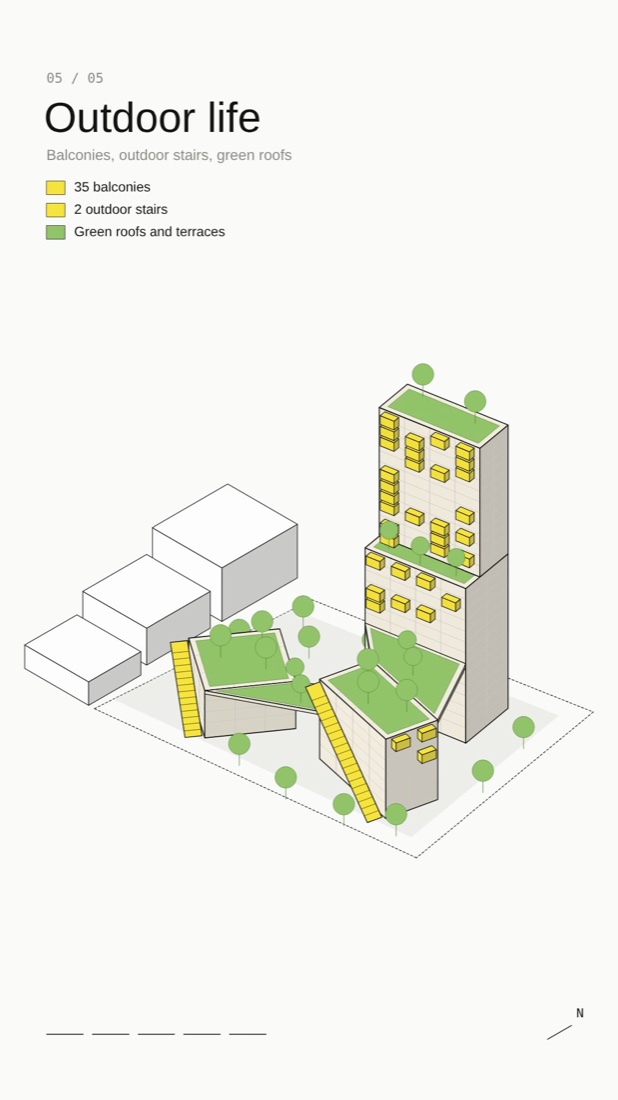 Animation
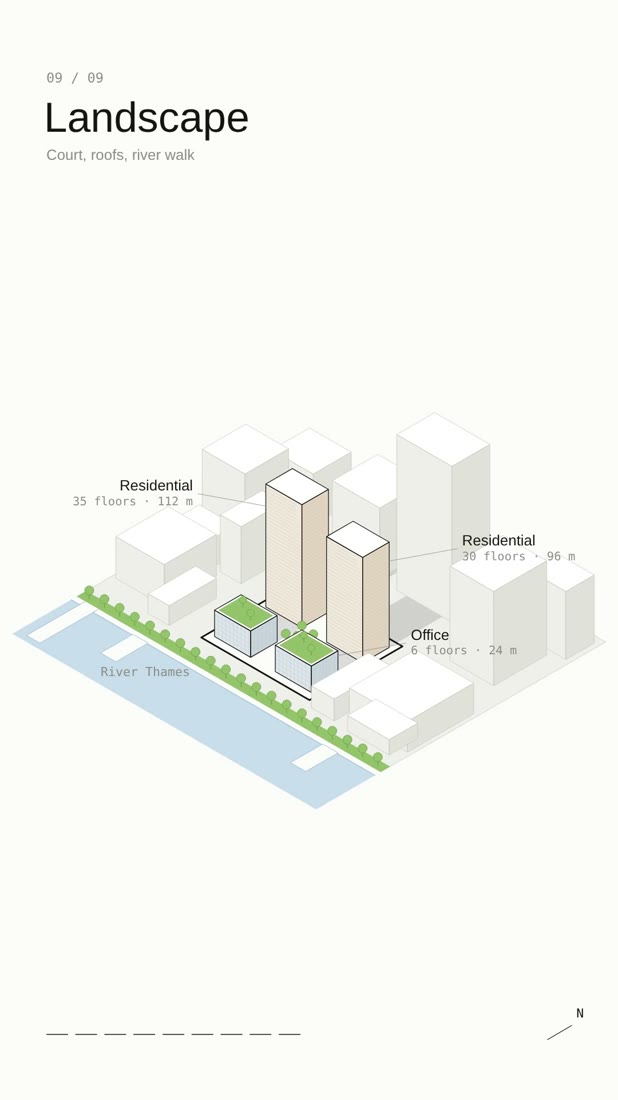 Animation
240 tested prompts, 227 worked examples and 466 before/after images for Nano Banana and ChatGPT, plus the 291-page bilingual PDF guide.